
Edit HDR photos on your Mac
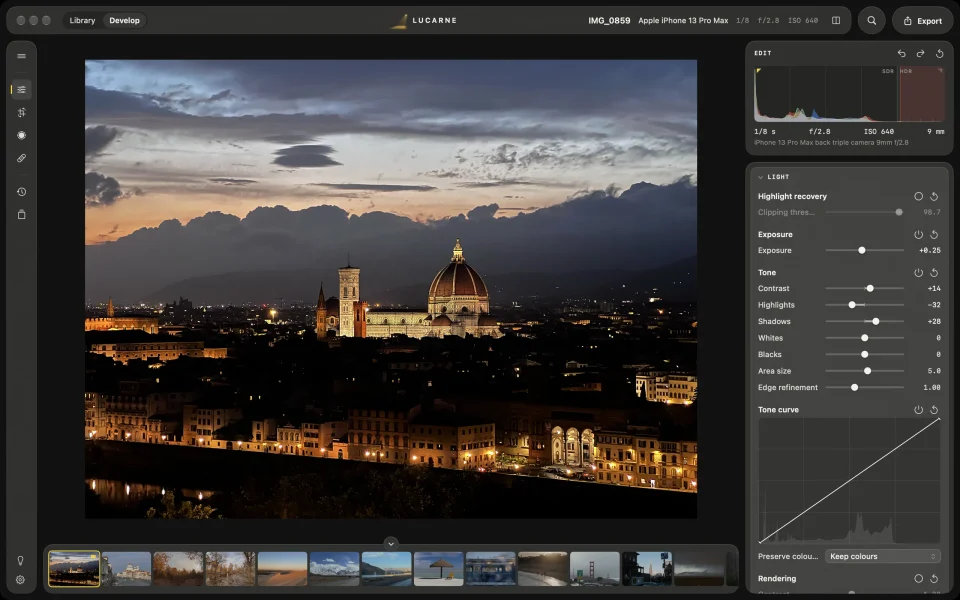
Lucarne is a free photo editor for the Mac that works in HDR from RAW to export. While you edit, you see the photo in HDR on your Mac’s screen. When you export, you can save an HDR JPEG or HEIF with a gain map: its highlights shine on HDR screens, and it still looks right on any other.
Why HDR matters now
- Cameras capture more light. RAW files record highlights far beyond what a standard photo can show. In a standard photo, the sun, lamps, and reflections all end up as plain white.
- Screens can show it. MacBook Pro, iPhone, iPad, and many phones can show light brighter than white.
- Platforms show it. Instagram, Threads, and major browsers display HDR photos.
What HDR adds
In a standard photo, the brightest thing is white. An HDR photo has room above white: the sun, lamps, reflections on water, and bright clouds can glow brighter than white on an HDR screen.
HDR from start to finish
Lucarne keeps a photo’s full range of light throughout the edit, so the brightest parts are never cut off early. On an HDR-capable Mac screen, you see the HDR result as you edit, and the histogram shows the HDR part separately on the right: how much is above white, and by how many stops.
Photos that look right on any screen
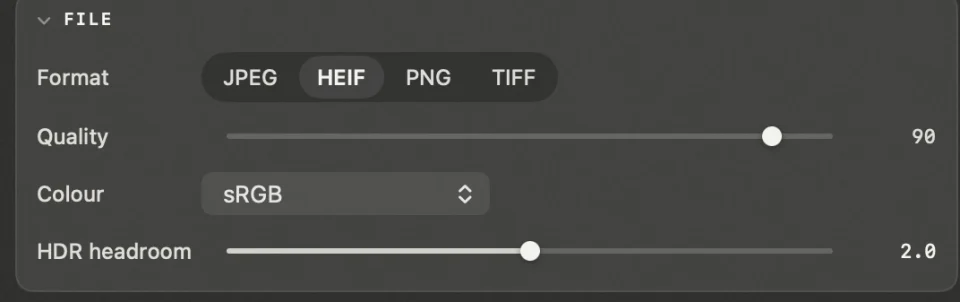
When you export, HDR headroom sets how much HDR to keep, from 0 to 4 stops; at 0, you get a standard photo. An HDR photo carries a standard image and a gain map together: HDR screens use the gain map to brighten the highlights, and other screens show the standard image. One file works on both.
On an HDR screen
The standard image plus the gain map: the gain map brightens the highlights, so the sun and lamps shine brighter than white.
On a standard screen
The standard image, just like any other photo.
Tips for editing HDR
- Save the extra brightness for what really shines. The sun, lamps, and reflections can glow; faces and white paper stay near white.
- Don’t make everything bright. If you brighten the whole photo, the highlights no longer stand out.
- Check both versions. Before exporting, look at the standard version too.
Other editors that handle HDR
| Editor | HDR editing | Export HDR with a gain map | Price |
|---|---|---|---|
| Lightroom Classic | Yes | Yes | Subscription |
| Photomator | Yes | Yes | Paid |
| Pixelmator Pro | Yes | Yes | Paid |
| Lucarne | Yes | Yes, JPEG and HEIF | Free |
Questions
- Which Macs show HDR?
- MacBook Pro models with a Liquid Retina XDR display, and HDR displays such as Pro Display XDR.
- Will an HDR photo look odd on a standard screen?
- No. An HDR photo with a gain map contains a standard image, and standard screens show that.
- Does Instagram show HDR photos?
- Yes, Instagram and Threads both display HDR photos.
- Is Lucarne free?
- Yes, including HDR editing and export.